
Product Work Company Pricing
Log in Sign up
For agencies and production studios

Make the AI promise pay off.

Keep your craft and your client. SolidMeta takes the integration work, so the savings you pitch reach the budget.

CAD, 3D, photos or a script

Proven in automotive, where every published image must be product-perfect

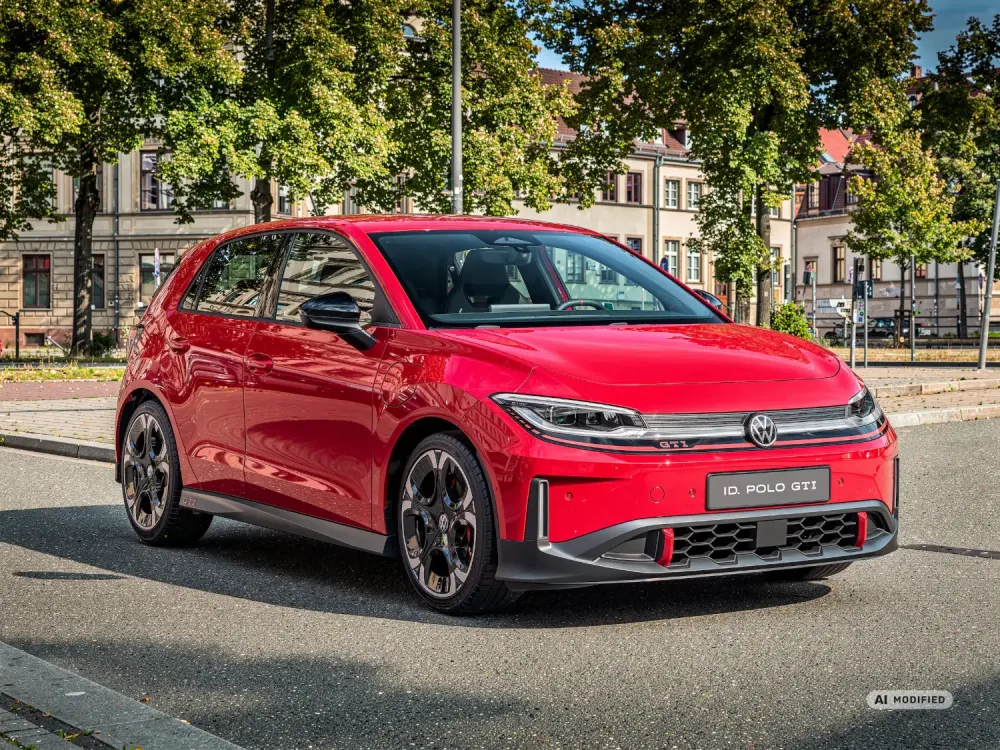
Volkswagen ID. Polo GTI on the Thames embankment in London at sunset
Where the money goes

In CGAI, the CG still eats the budget.

The AI backplate replaced the location. CAD prep, lighting integration and compositing are still on your job sheet, and that is where the saving you pitched goes. SolidMeta generates the whole scene around the client's approved product data in a single pass and checks it against the source, so the saving stays in your margin.

CGAI CG product + AI background
Classic CG
1CAD prep 2Look-dev 3Render the product 4BackgroundAI backplate 5Light and camera match 6Compositing 7Retouch 8Approval
  1. 1CAD prep
  2. 2Look-dev
  3. 3Render the product
  4. 4Background: location shoot or 3D environmentAI backplate
  5. 5Light and camera match
  6. 6Compositing
  7. 7Retouch
  8. 8Approval

The background got cheaper, shot or built in 3D. Everything else stayed.

SolidMeta
Classic CG
11 22 3 4 5 6 73 84
Up to −80%
  1. 1Approved CAD or photos
  2. 2Generate and relight the frame
  3. 3Auto Heal and defect report
  4. 4Approval

Up to 80% lower cost than traditional CG production, by our estimate for a typical hero still.

The background was never the expensive part.

Illustrative shares of a typical hero still, not a quote. A bar's length is its cost against classic CG; your saving depends on the shot.
  • More motifs per budget

    The hours that went into matching and comp go into the next motif.

  • Margin on every motif

    Your quote stays yours. Fewer integration steps sit behind each frame you deliver.

  • Room for one more round

    When the client asks for another location, the product is already approved. Only the place changes.

CG still fits configurators, cutaways and technical close-ups. Keep it there.

Inputs

Start from what the client already approved

The product your client signed off is the source. SolidMeta reads it from the files they already hold, so nobody rebuilds it before the first frame.

  • CAD

    STEP, JT or a mesh from the client's release. Body lines, trims and badges are read from the file. Roles decide who can see, review and download it.

  • 3D models

    A model your team built for an earlier campaign or a configurator. That work becomes the source for the next job.

  • Approved photos

    Packshots and reference photos that already passed the client's review. For many products, that is enough to start.

The full workflow for an OEM campaign
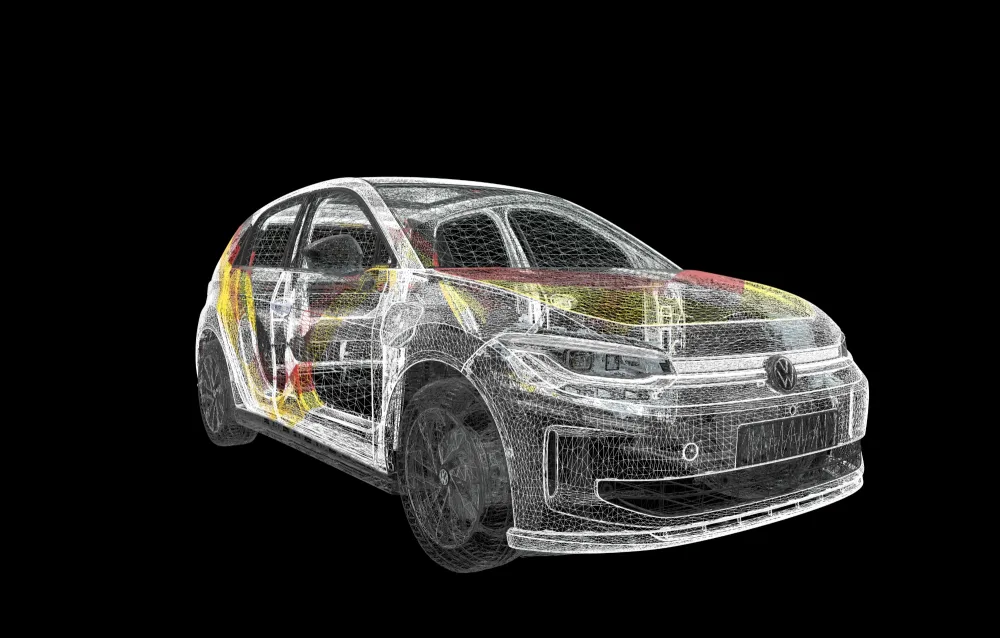
ID. Polo GTI: the client's CAD and the render made from it as the sources for a full AI image.
Product accuracy

Product-correct, with receipts

Every frame is checked against the source. Auto Heal restores a badge, a trim line or a letter the AI model invented, in place, and leaves the rest of the shot alone. The PDF defect report lists every difference, so the client's legal review has a document to sign off.

  • Checked against the CAD and the reference photos
  • Fixed in place, without re-rolling the shot
  • Brush for the one stroke you want to make by hand
  • A PDF defect report for legal and compliance
Skills, Styles, workspaces

Your workflows, your team

The way your studio works becomes something the whole team can run. A junior starts from the senior's setup, and every client keeps a space of their own.

Shareable Skills

Select the nodes on a board that make a shot and choose Save as skill. Share it with a workspace or the whole organisation. Everyone it reaches can run it and make a copy. Only you and the organisation's admins can change it, and each save is a new version.


Team styles

Make a style from an image and share it with your team. The look holds whoever runs the shot.

Client workspaces

One workspace per client. Projects, boards and deliveries stay inside it. Switch clients from the top of the sidebar.

Delivery

A delivery, not a download

Send the approved frames from SolidMeta as a delivery. The client gets an invite, opens it in the browser and downloads what they need. You keep the record.

  • Roles

    You own the delivery. Recipients see the files. Your workspace can follow along.

  • A review trail

    Every invite, open and download is in the activity log, with a date.

  • Job codes

    Add the job ID from your traffic system. It stays on the delivery and shows in the list.

  • Expiry and revoke

    Set an expiry date, or revoke a recipient when the job closes.

OEM clients

When the client is an OEM

Their security review includes every tool you bring. When the client asks for it, SolidMeta runs on-prem, air-gapped or in a private cloud.

How an agency runs an OEM campaign in SolidMeta
  • On-prem, air-gapped or private cloud
  • Corporate sign-in on Enterprise
  • You work from their CAD. Roles decide who can see and download it.
  • Every output marked as AI-generated (EU AI Act, Art. 50)
API · Enterprise

Plug it into your pipeline

On an Enterprise contract, run generation and Auto Heal from your own tools. Create keys with only the scopes a tool needs, see what a job will cost before it runs, and get the result by webhook.

  • Scoped keys: image, video, usage, audit
  • Webhooks, with replay
  • Usage and audit log over the API
  • POST/api/v1/generate/fullYour product image and a prompt, as a new scene
  • POST/api/v1/generate/composeYour product image composited into a background
  • POST/api/v1/generate/backplateA background plate from a prompt
  • POST/api/v1/ai/heal-autoWhat differs, fixed in place
  • POST/api/v1/jobs/estimateThe cost of a job before it runs
  • GET/api/v1/jobs/:jobIdStatus, or a webhook when it is done
Plans

Plans for teams

Studio gives each person a seat and the team one pooled allowance. Whoever has the busy week uses more of it. See the estimate before you generate, and set a monthly cap.

  • A seat per person, one shared allowance
  • Client workspaces and team delivery
  • Invoices separate included usage from on-demand charges
  • Enterprise adds corporate sign-in, compliance and a pilot
Questions

What studios ask first

Does this replace our 3D team?

No. It moves them from rebuilds to direction and quality control. They set up the Skills and Styles, judge the frames and sign off what goes to the client. Shots that need CG, like configurators, cutaways and technical close-ups, stay with them.

What happens to the CG work we already have?

It becomes a source. A model built for an earlier campaign or a configurator can be the starting point for the next job.

Who owns the client's product data?

The client does. You work from their CAD and photos inside your workspace for that client. SolidMeta does not train AI models on it.

Is it only for automotive?

No. It works for any product with a source of truth: CAD, a 3D model, approved photos or a script. Automotive is where it was proven first, on Volkswagen campaigns.

Which AI models can we use?

Several image and video models, including Google's and OpenAI's image models and Veo, Seedance and Wan for video. You pick per shot and see the estimate before you run it.

How do we start?

Sign up and bring one product a client already approved. Or book a demo, and we go through it with your team on one of your products.

Bring the next brief.

Start with a product your client already approved. Your team keeps the craft. SolidMeta takes the integration.

CAD, 3D, photos or a script